Brainsome · Internal platform
Product design
MoneyFor
Tools for planning traffic, configuring campaigns and managing payments.
- Role
- Product Designer
- Scope
- Research, workflow design, interface design
- Users
- ASO specialists, product managers and finance
- Workstreams
- Traffic planning, billing & campaign concepts
MoneyFor brings traffic operations and payment workflows into one internal platform. My work connected the daily work of ASO specialists with the information product managers and finance need to plan, reconcile and track payments.
Traffic planning & analytics
From the daily plan to the detail.
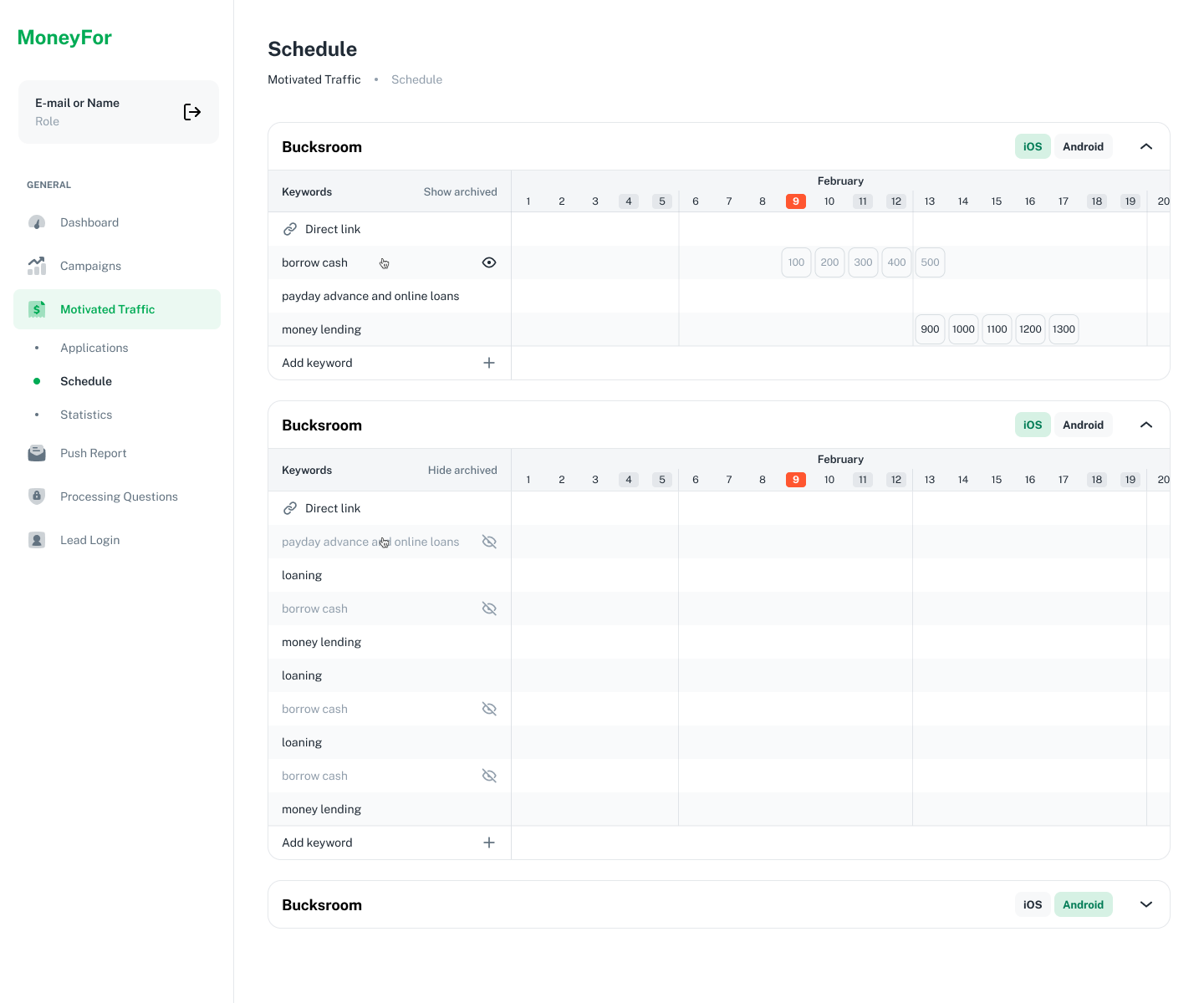
I interviewed three ASO specialists and reviewed the tools they used to plan traffic. Their work moves between applications, keywords and daily volumes, so a single aggregate number is not enough to manage the plan.
The calendar brings application groups, keyword targets and daily allocations into one editable workspace. Inline editing lets specialists change the plan while keeping the surrounding dates and volumes visible.
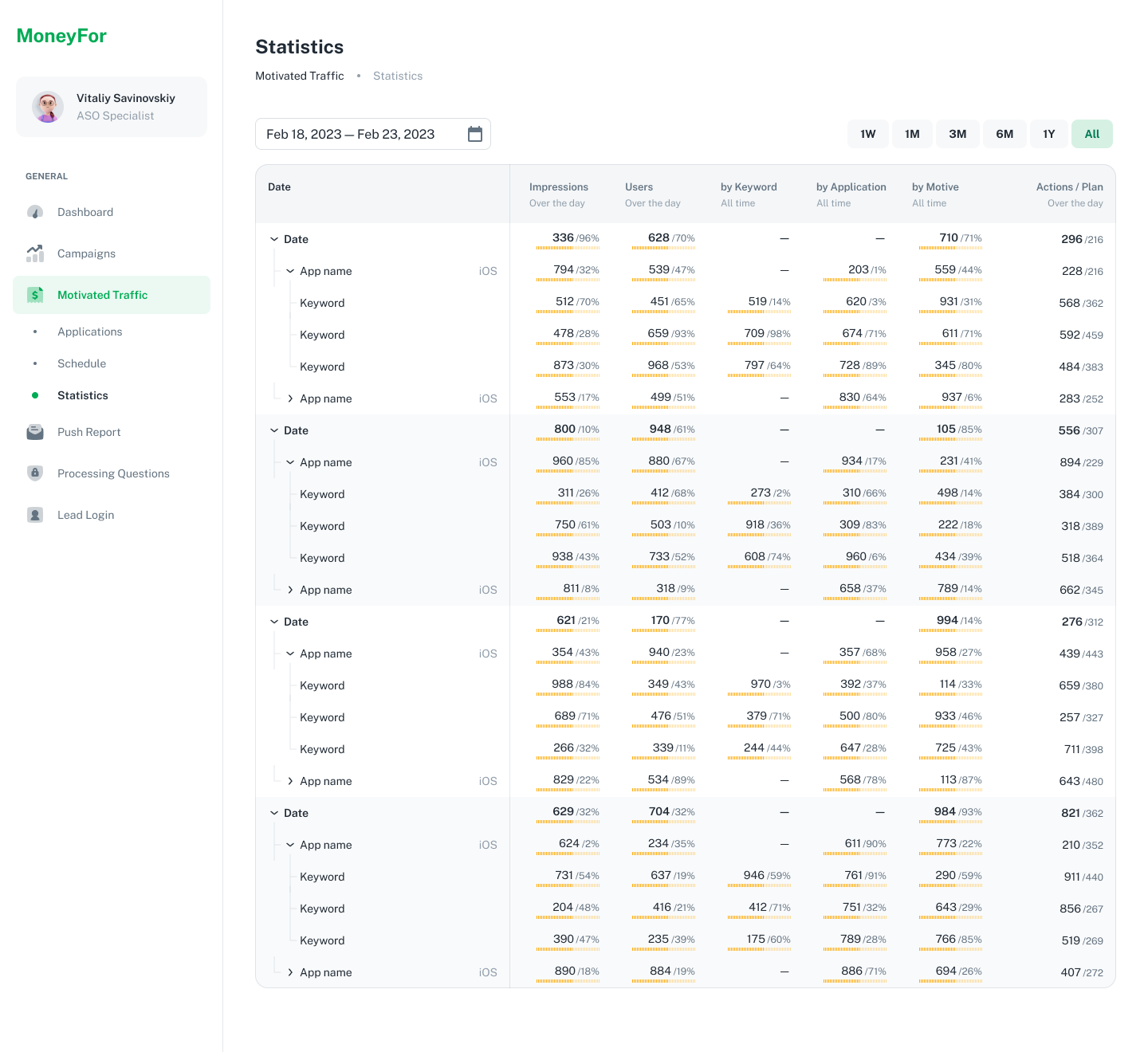
The report follows the same day → application → keyword hierarchy. Planned and actual actions sit together, with expandable rows for investigating a specific application or keyword.
Using the same structure for planning and reporting keeps the detail traceable: a team can move from a daily total to the part of the plan that needs attention.
Billing & payouts
Make the next action clear.
Give product managers ownership of routine payments, with finance able to see the detail.
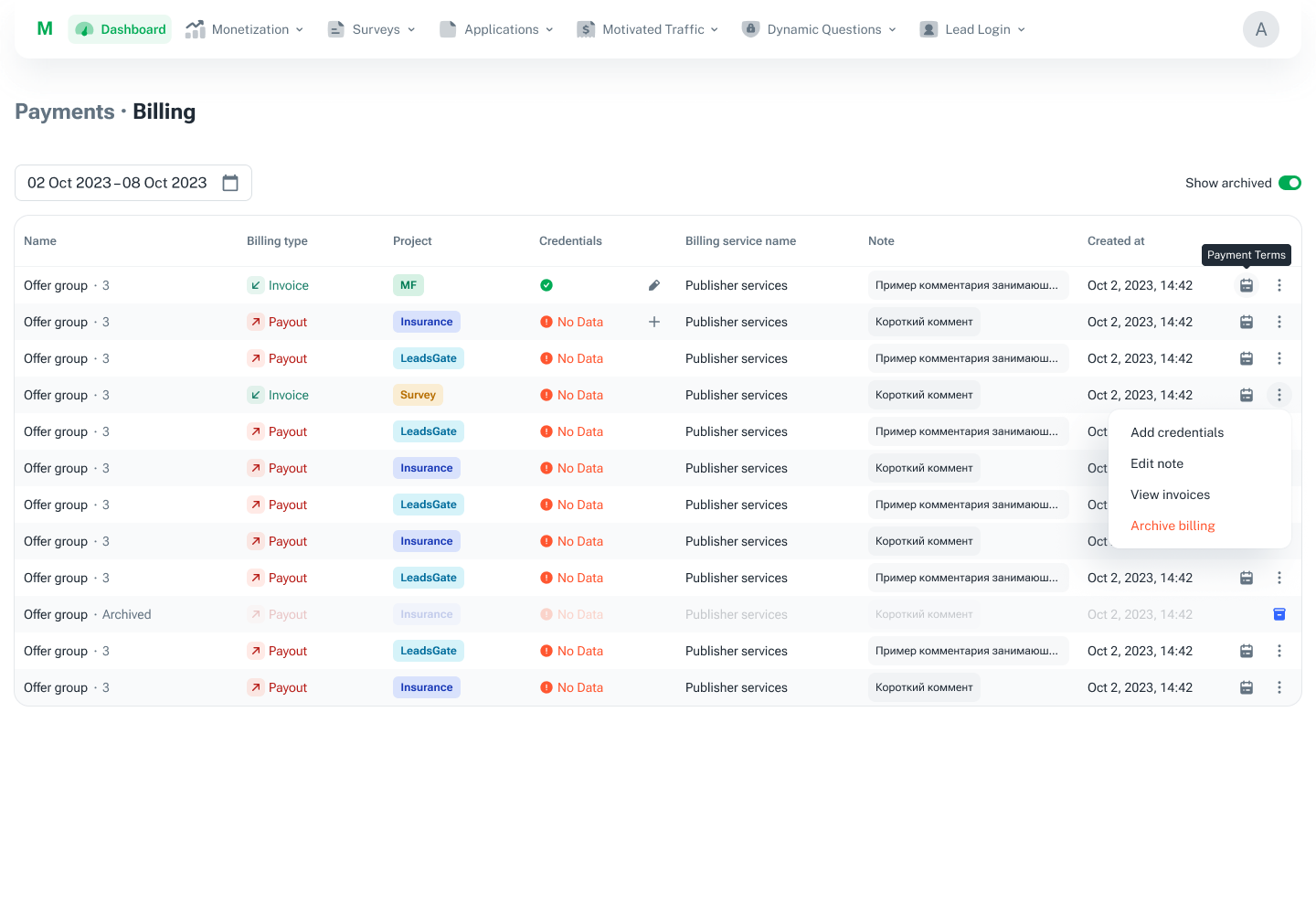
The payment workflow was designed to let product managers handle their own invoices and payouts while reducing manual checking for accountants. Interviews with finance highlighted three recurring problems: reconciliation, mismatched amounts and deadlines.
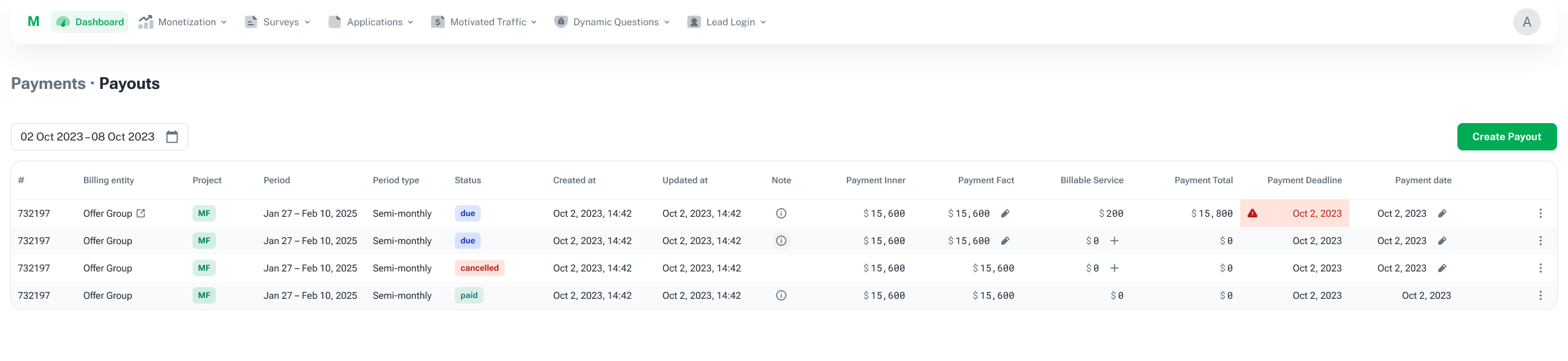
I made status, payment direction, missing details and available actions visible in the table. Inline edits support routine corrections, while the detail view focuses on the current stage and preserves access to earlier steps.
Billing setup
Keep payment rules traceable.
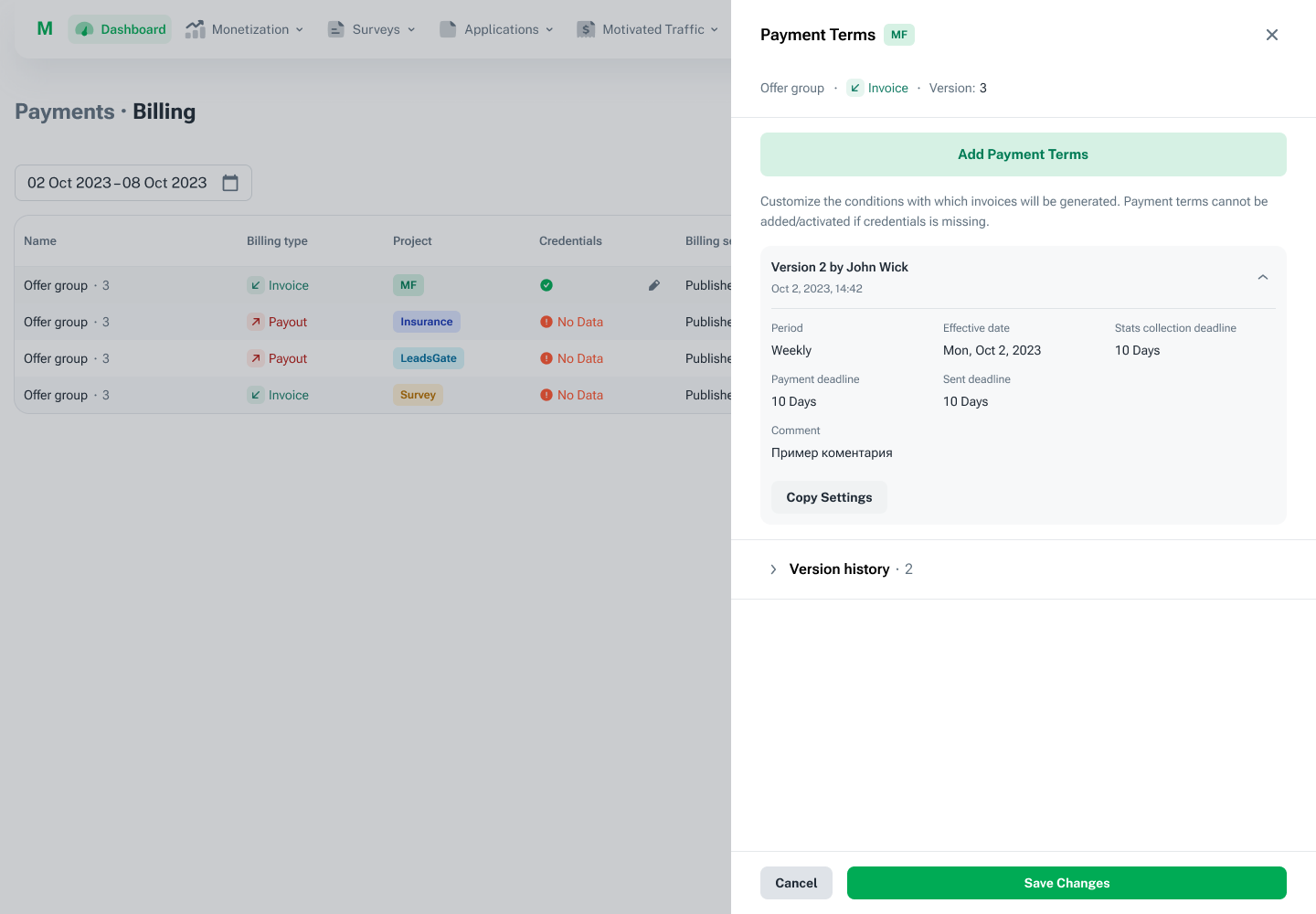
Payment rules have effective dates, collection deadlines and payment deadlines. Keeping their versions visible allows the team to understand which terms apply, instead of treating an edited setting as if it had always been the same.
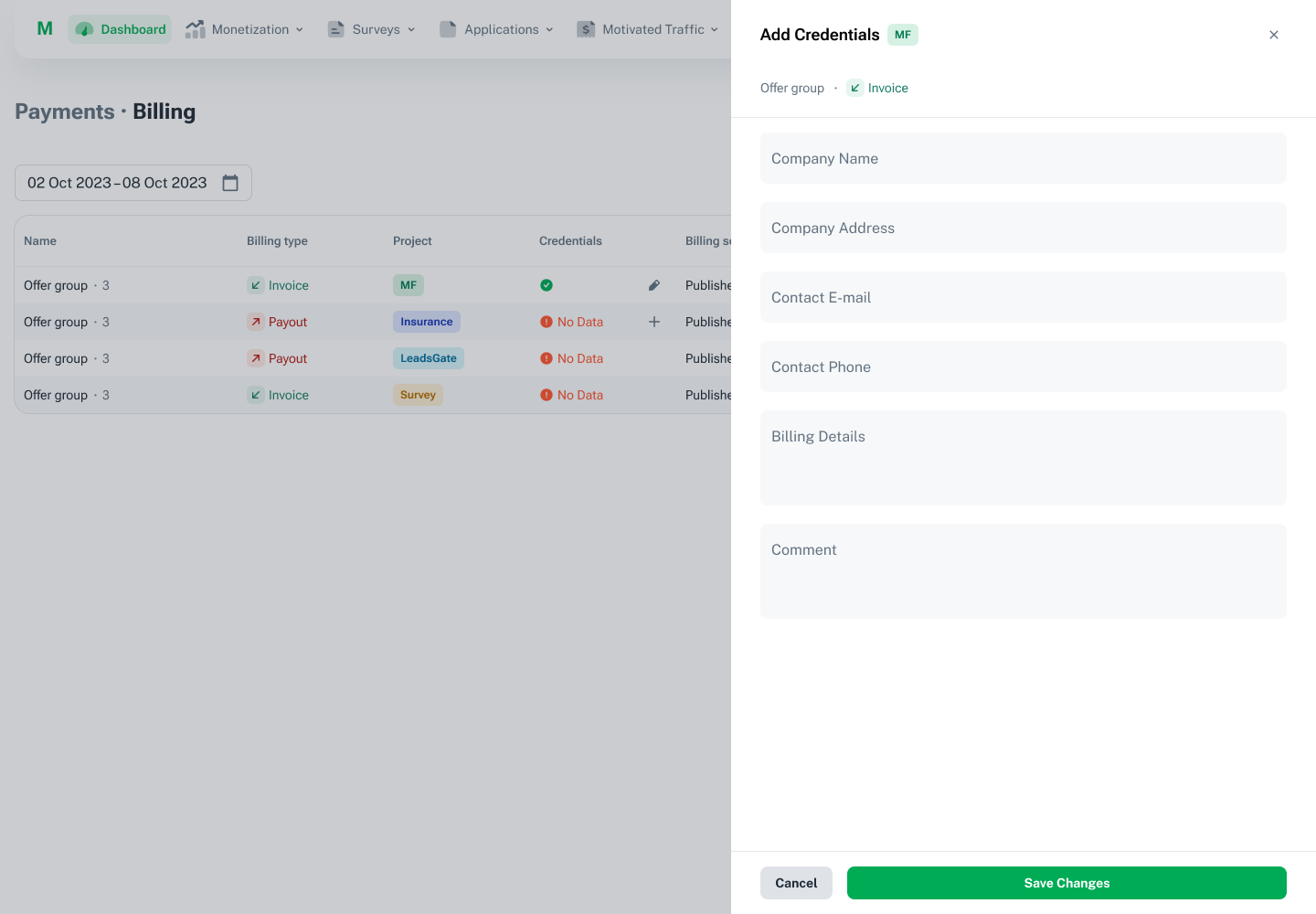
Billing details open beside the table so the user retains the surrounding project and payment context. Missing information is flagged before the payment setup can be completed.
Invoices & payouts
See the exceptions in the working list.
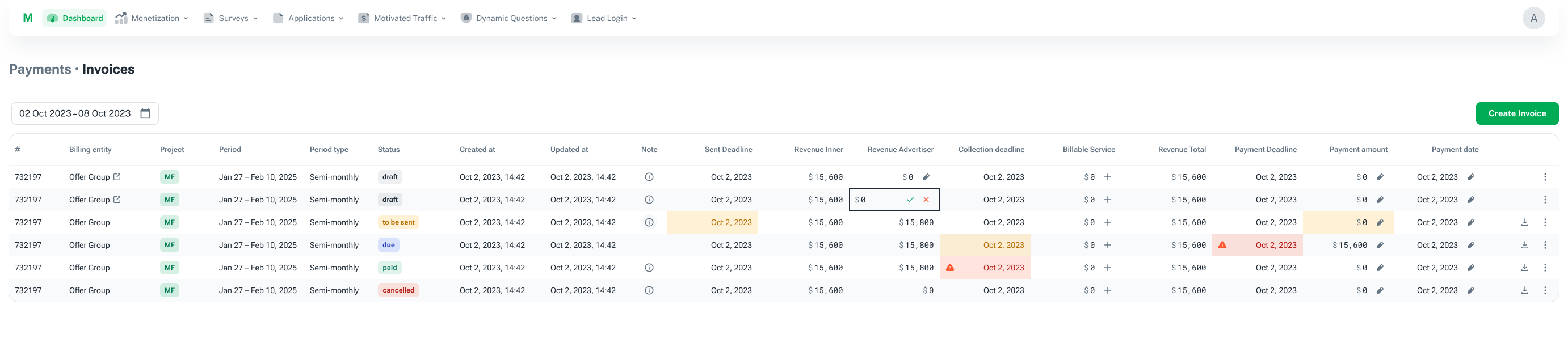
Invoices and payouts share a consistent table language while keeping the direction of money explicit. Status, dates and amounts stay together, so an overdue item or a mismatch can be investigated from the same place as routine work.
The design supports editing amounts in context and opening the relevant record for a more detailed review. The wide views below show the full information hierarchy rather than isolated cells.
Lifecycle & audit trail
Every record has a history.
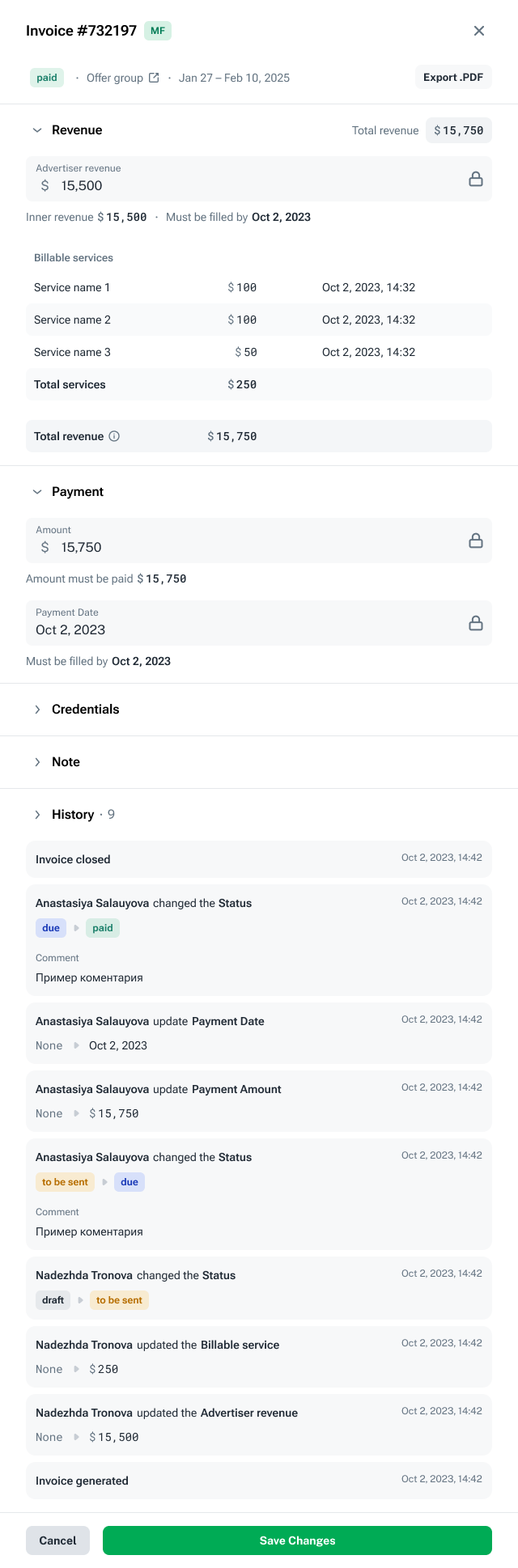
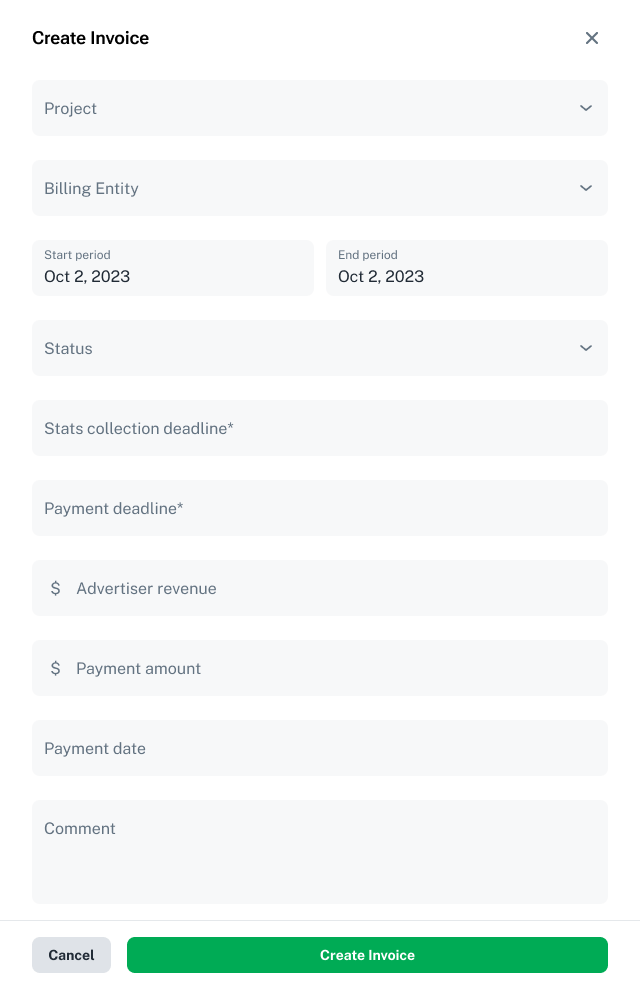
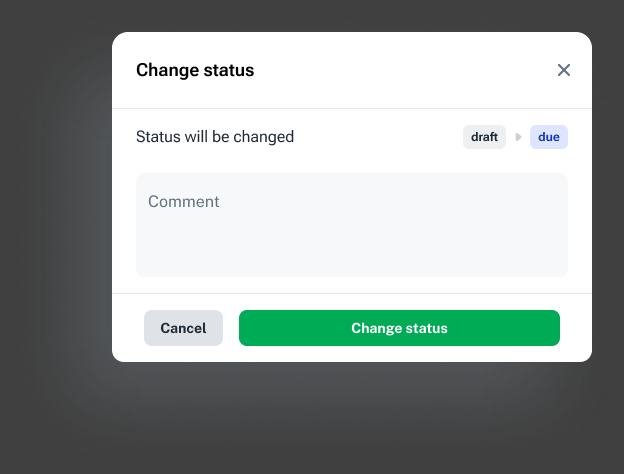
Creating a custom invoice, confirming a status change and reviewing a paid invoice are different tasks. Each state exposes the relevant fields and actions: a completed record locks financial values, while the history retains earlier edits and status transitions.
The finance team estimated that reconciliation took roughly half the time.
Campaign builder · Concept
Separate the parts of a campaign.
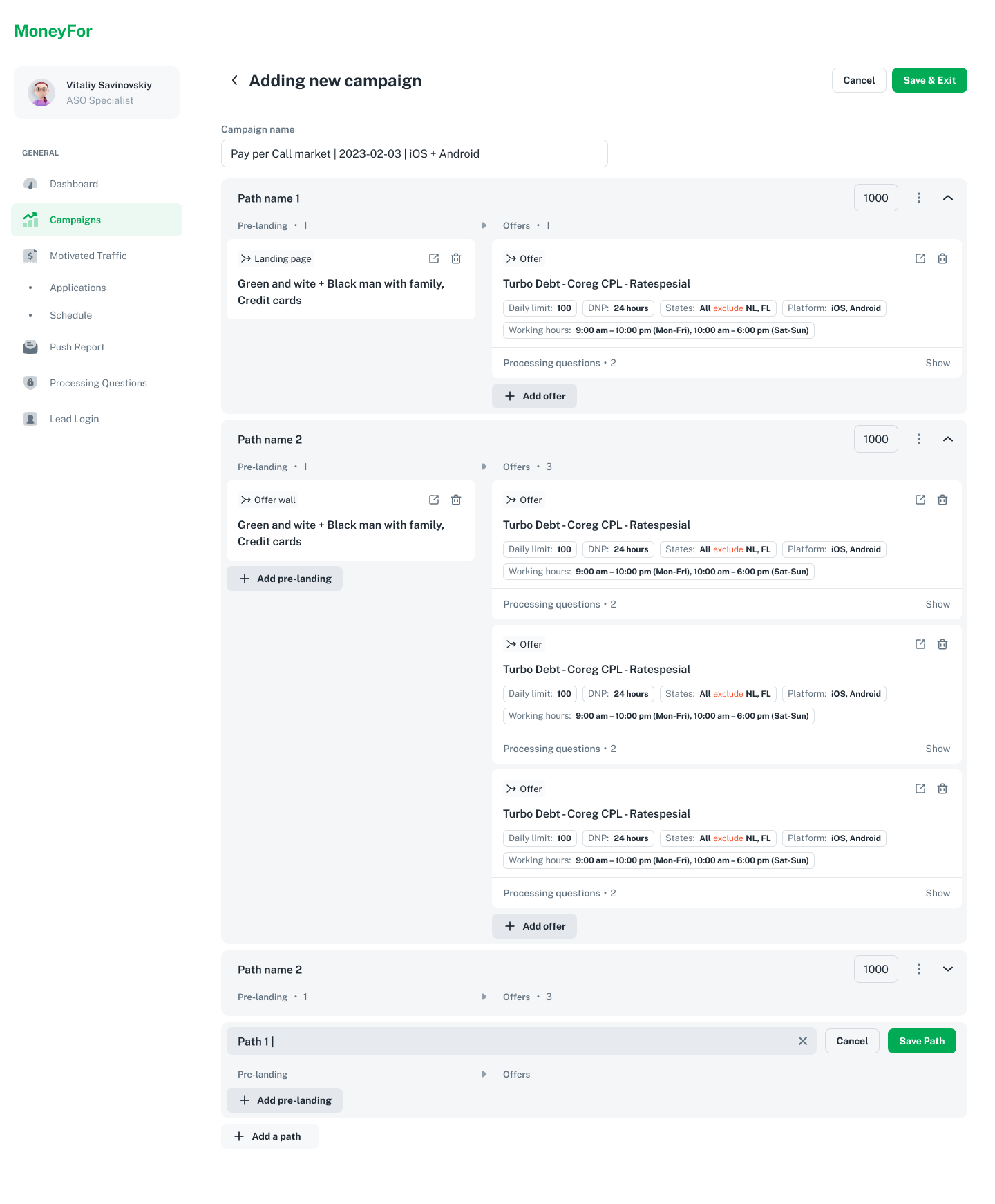
The campaign-builder concept separates campaigns, landing pages and offers into distinct entities. A campaign can then describe explicit traffic paths, including pre-landing pages, nested destinations, allocation and targeting rules.
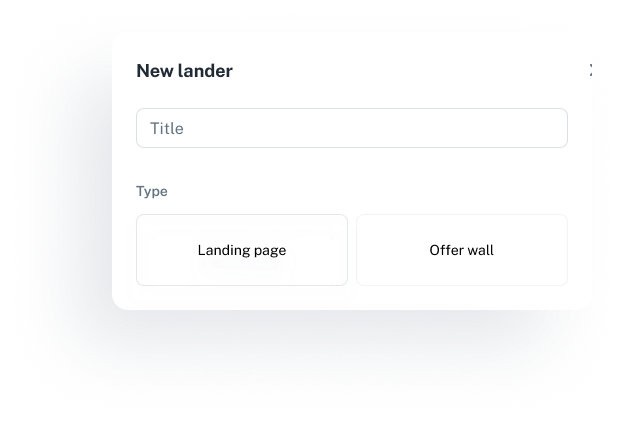
The work makes the routing structure visible rather than leaving it implicit in a flat list. Creating a landing page or offer wall is a separate step before assembling the path.
This direction stopped during design when the business changed course.